



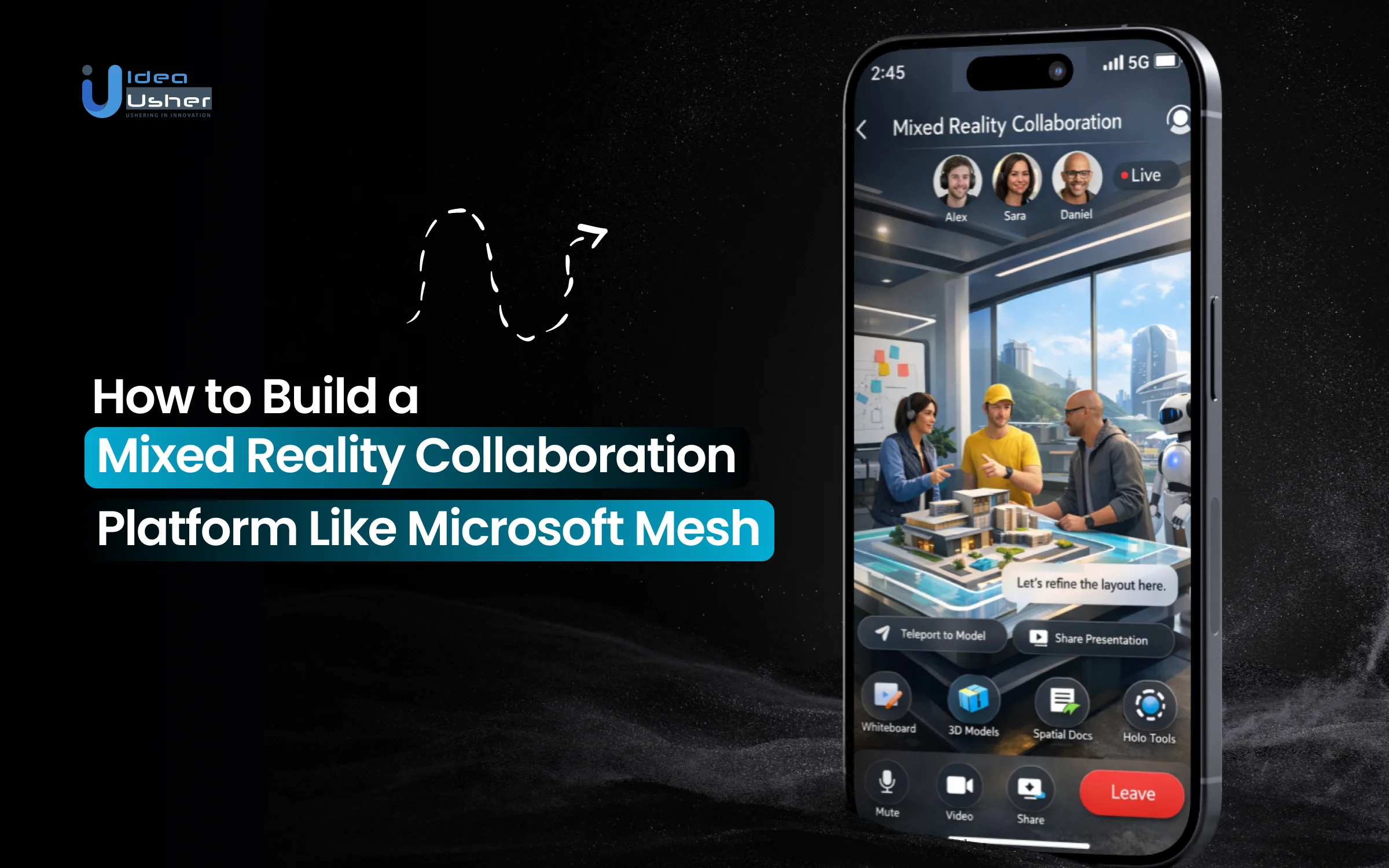
Collaboration is evolving beyond screens into shared digital spaces where people can interact, present ideas and work together in more immersive ways. As teams move beyond video calls and static documents for complex tasks like design, training or complex discussions, the demand for spatial interaction is driving the mixed reality collaboration platform development where communication occurs within immersive 3D environments.
The need for genuine presence among physically distant teams means that immersive work requires more than a virtual connection; it demands the seamless integration of 3D spaces, avatars, spatial audio and real-time synchronization across devices. Platforms such as Microsoft Mesh exemplifies this, showing how distributed teams can effectively collaborate within shared 3D environments.
In this blog, we explain how to build a mixed reality collaboration platform like Microsoft Mesh by examining core system components, architectural considerations and practical steps involved in developing scalable and immersive collaboration experiences.
Why Mixed Reality Collaboration Is Scaling Fast?
The shift toward mixed reality marks a fundamental change in communication, moving beyond cloud-based workflows to address the “presence deficit” of remote work. As the global market is valued at USD 5.03 billion in 2023and projected to reach USD 40.58 billion by 2030, growing at a CAGR of 34.8% continues to expand, teams are increasingly prioritizing spatial awareness to replicate the nuances of physical proximity.
Companies adopting MR-based phased deployment models typically see a 30% to 50% reductionin total training time compared to traditional methods. Employees trained in VR/MR environments completed their courses 400% faster than classroom learners.
IKEA’s AR retail app led to a 20% decline in returns related to sizing issues and a 30% increase in click-throughs to product pages. Also, Walmart reduced training time for its Pickup Tower from 8 hours down to 15 minutes (a 96% reduction) using immersive training modules.
A. Shift From Video Calls to Spatial Workspaces
Moving from video-centric communication to spatial workspaces represents the leap from observing a meeting to participating in an environment. While a standard video call tethers the user to a rectangular grid, spatial workspaces utilize spatial audio and 3D positioning to allow the human brain to process digital interactions naturally.
| Feature | Video Call Environment | Spatial Workspace (MR) |
| User Presence | 2D tile on a grid | 3D avatar with spatial positioning |
| Audio Logic | Flat mono or stereo sound | Directional and distance-based audio |
| Object Interaction | Screen sharing of files | Shared manipulation of 3D holograms |
| Data Persistence | Ends when the call closes | Persistent 3D room for ongoing work |
| Contextual Awareness | High cognitive load to track cues | Intuitive use of body language |
B. Enterprise Demand for Immersive Collaboration
Enterprises no longer view mixed reality as an experimental budget item. It is a strategic necessity for high-stakes operations where the cost of error is extreme or physical logistics are a bottleneck. This demand is particularly high in sectors that require precision and hands-on coordination.
- Accelerated Training and Onboarding: Companies in aviation and energy use immersive platforms to train technicians on expensive equipment, removing the risk of physical damage and the logistical cost of transporting experts to remote sites.
- Rapid Prototyping and Design Reviews: Mixed reality development allows teams to interact with life-sized digital twins, helping them identify design flaws early that would be invisible on a flat monitor.
- Streamlined Global Sales Cycles: Manufacturing and real estate firms leverage these environments for international client walkthroughs, significantly shortening the time required to close complex, high-value deals.
C. Where Traditional Tools Like Zoom Fall Short
Standard video conferencing tools revolutionized the remote-first era but are fundamentally limited by their inability to handle spatial context. These tools are excellent for basic information exchange but often fail during complex, collaborative tasks that require physical reference.
- Lack of Spatial Reference: In a 2D call, gesturing or pointing lacks meaning. Mixed reality solves this with shared holographic anchors where a gesture is a universal language everyone sees from their own perspective.
- Fragmented Workflow: Traditional tools keep the work and the conversation separate. A user must switch between tabs to see a CAD file and the video feed. Mixed reality merges these into one unified reality.
- Reduced Emotional Presence: Unlike video calls that feel like a broadcast, mixed reality uses sophisticated tracking to mirror real-world movements, restoring the human element and synergy lost through lack of eye contact and body language.
What Is a Mixed Reality Collaboration Platform?
A mixed reality collaboration platform is a sophisticated software ecosystem that merges physical and digital worlds to facilitate teamwork in a shared 3D space. Unlike standard virtual reality which fully replaces the user’s surroundings, mixed reality anchors digital content into the user’s actual environment. This allows participants to remain aware of their physical setting while interacting with high-fidelity digital assets alongside colleagues who may be thousands of miles away.

A. Core Concept of Spatial Collaboration Layers
The fundamental architecture of these platforms relies on a spatial collaboration layer that sits on top of existing communication infrastructures. This layer acts as a digital fabric that synchronizes physical coordinates across multiple users, ensuring that every participant sees digital objects in the exact same location within the virtual room.
- Environmental Persistence: The platform remembers where objects are placed. If a design team leaves a 3D model on a virtual table, it remains there for the next session, allowing for asynchronous collaboration.
- Coordinate Synchronization: Through mixed reality collaboration platform development, engineers create a unified coordinate system. This ensures that when one person points to a specific engine part, every other user sees the gesture directed at that exact component.
- Multi-Modal Accessibility: A true collaboration layer is device-agnostic. It allows a user on a high-end headset to collaborate seamlessly with a colleague joining via a tablet or a standard desktop PC.
B. How Avatars, Holograms and Presence Work
The sense of “being there” or presence is achieved through the integration of three critical components: avatars, holograms and spatial data. These elements work together to bridge the gap between digital representation and human intuition.
| Component | Function in Collaboration | Impact on User Experience |
| Avatars | Digital representations of the user | Conveys body language, head orientation and identity |
| Holograms | Shared 3D digital objects | Provides a tangible focal point for technical discussion |
| Spatial Presence | Directional audio and depth | Replicates the psychological feeling of sharing a room |
C. Real-Time Interaction in 3D Environments
The technical backbone of any immersive platform is its ability to handle real-time synchronization with ultra-low latency. In a 3D environment, interaction must be instantaneous to maintain the illusion of reality and prevent motion sickness or cognitive dissonance.
- Holographic Manipulation: Users can grab, rotate and resize 3D models as if they were physical objects. This requires a robust physics engine that calculates collisions and movements across all connected clients simultaneously.
- Spatial Audio Integration: Sound is treated as a 3D asset. As a user moves closer to a colleague, their voice becomes louder; if they turn their head, the audio shifts accordingly. This allows for multiple sub-groups to hold separate conversations within the same virtual space.
- Live Data Overlays: Interaction goes beyond looking at static shapes. Real-time platforms can pull live data from external APIs and project them onto 3D objects, such as showing live temperature sensors on a digital twin of a factory floor.

How Microsoft Mesh Works: Architecture Overview
The technical architecture of a mixed reality collaboration platform is designed to solve the immense challenge of synchronizing physical space with digital data in real time. Rather than relying on a single localized server, these platforms utilize a distributed cloud model to handle the heavy lifting of spatial computing. This allows the user’s hardware to focus on rendering while the backend manages the complex logic of multi-user interaction, environmental persistence and data security.

A. Role of Microsoft Azure in Backend Infrastructure
Azure serves as the foundational backbone for Microsoft Mesh, providing the massive computational power required to process spatial data at scale. This infrastructure ensures that the platform remains stable and responsive, regardless of the number of users or the complexity of the 3D assets involved.
- Azure Remote Rendering (ARR): High-detail 3D models often exceed the processing power of mobile AR or VR headsets. Azure renders these complex assets in the cloud and streams them to the device in real time, maintaining high visual fidelity without sacrificing performance.
- Spatial Anchors: This service allows for the creation of persistent 3D maps of physical spaces. It ensures that digital content stays locked to a specific coordinate in the real world, allowing different users to see the same hologram in the same place across different sessions.
- Global Content Delivery: By leveraging a global network of data centers, Azure minimizes latency which is critical for preventing motion sickness and ensuring that interactions feel instantaneous for users across different continents.
B. Integration With Microsoft Teams Ecosystem
Integration with Microsoft Teams transforms mixed reality from a standalone novelty into a functional enterprise tool. By embedding the “immersive layer” directly into the world’s most used collaboration suite, it lowers the barrier to entry for professional organizations.
| Integration Point | Functional Value |
| Unified Calendar | Users can join an immersive Mesh space directly from a standard Teams meeting invite. |
| Shared Content | Documents and 3D files stored in Teams or SharePoint can be pulled directly into the virtual environment. |
| Cross-Platform Chat | Participants in the 3D space can communicate seamlessly with colleagues who are only joined via the 2D Teams app. |
| Enterprise Security | The platform inherits the same high-level compliance, encryption and identity management standards used by the rest of the Microsoft 365 suite. |
C. Data Sync and Real-Time Rendering Pipelines
The rendering pipeline is responsible for how a user sees and interacts with the world. In mixed reality collaboration platform development, the focus is on maintaining a “shared state” where every participant’s view is synchronized to within milliseconds.
- Network Synchronization: The platform uses a specialized protocol to broadcast “pose data” the exact position and orientation of every user’s head and hands to everyone else in the session.
- Physics Engines: When a user moves a virtual object, the backend calculates the trajectory and collision logic, then updates that object’s position for all other users simultaneously to avoid digital “drift.”
- Optimization for Variable Bandwidth: The pipeline dynamically adjusts the level of detail (LOD) based on the user’s internet speed, ensuring that the collaboration continues smoothly even if the connection fluctuates.
D. Identity, Presence and Session Management
Managing who is in a space and how they are represented is vital for professional security and social comfort. Session management ensures that users can enter, leave and rejoin environments without disrupting the ongoing collaborative flow.
- Microsoft Entra ID (formerly Azure AD): This provides a secure identity framework, allowing employees to use their corporate credentials. It ensures that sensitive project spaces are only accessible to authorized personnel.
- Dynamic Presence Management: The system tracks whether a user is active, idle or has disconnected. If a user loses their connection, the platform can maintain a “ghost” presence or gracefully remove their avatar to keep the environment uncluttered.
- Scalable Room Logic: Session managers handle the “instancing” of virtual rooms. If a large corporate event exceeds the capacity of a single virtual space, the system can automatically create parallel instances or “overflow rooms” while keeping key presenters visible to all.
Real-World Use Cases Driving Adoption Today
The adoption of mixed reality is being propelled by its ability to bridge the physical-digital divide in high-stakes environments. Beyond simple communication, industries are leveraging these platforms to solve complex logistical challenges, reduce operational risks and create highly engaging experiences that were previously impossible with traditional 2D technology.

1. Healthcare: High-Precision Surgical Navigation
MR is moving from “pre-operative planning” to “active intraoperative guidance.” in the medical field. Surgeons now use holographic overlays to see through a patient’s skin in real-time, significantly increasing precision in delicate procedures.
Real-World Example: Medivis, using their FDA-cleared SurgicalAR platform, allows neurosurgeons to overlay a 3D map of a patient’s brain directly onto their head during surgery. This helps surgeons avoid critical structures and locate tumors with sub-millimeter accuracy, reducing the time spent in the operating room.
2. Design Reviews With 3D Prototyping
The ability to review life-sized models is a game changer for industries like automotive, architecture and aerospace. Mixed reality allows stakeholders to walk around a digital twin of a product and inspect intricate details at a 1:1 scale before a single physical component is manufactured.
Real-World Example: Ford designers use mixed reality to overlay digital sketches onto physical clay models. This allows global teams to collaborate on vehicle aesthetics and ergonomics simultaneously, cutting months off the traditional design cycle and saving millions in physical prototyping.
3. Logistics: Vision Picking and Warehouse Efficiency
Global logistics giants are replacing traditional paper lists and handheld scanners with hands-free MR interfaces. This shift has turned warehouse navigation into a gamified, ultra-efficient process.
Real-World Example: DHL Supply Chain implemented a global “Vision Picking” program using smart glasses. Workers see digital instructions, product locations and quantities directly in their field of view. This hands-free approach resulted in a 15% to 25% increase in productivity and significantly lowered error rates in order fulfillment.
4. Advanced Manufacturing: Digital Assembly Instructions
In complex manufacturing, the sheer volume of technical documentation can overwhelm workers. MR translates static blueprints into interactive, step-by-step 3D guides that “stick” to the machinery being built.
Real-World Example: PBC Linear uses the Taqtile Manifest platform to train workers via holographic arrows and 3D icons. Replacing manuals with spatial guidance has reduced training time by nearly 50% while maintaining zero-defect production standards in advanced manufacturing.
5. Specialized Education: Visualizing the Invisible
MR is solving the “abstraction gap” in STEM education by allowing students to interact with concepts that are normally invisible to the naked eye, such as magnetic fields, chemical bonds or microscopic biology.
Real-World Example: Case Western Reserve University replaced traditional cadaver-based anatomy labs with the HoloAnatomy app. Students use HoloLens headsets to peel back layers of a holographic human body. Research showed that students using the MR app learned the material twice as fast and retained the information significantly better than those using traditional textbooks or physical dissections.
6. Public Safety: First Responder Navigation
First responders are using MR to navigate hazardous environments where visibility is zero, such as smoke-filled buildings or complex underground tunnels.
Real-World Example:Firefighters use C-THRU MR technology integrated into helmets to project 3D thermal outlines of walls and people through smoke. This immersive navigation allows first responders to move through burning buildings 5 times fasterthan with traditional thermal cameras.
Key Features Behind Platforms Like Microsoft Mesh
The mixed reality collaboration platform development requires blending high-fidelity spatial data with seamless communication. Successful platforms prioritize technical stability and user comfort, ensuring that digital interactions feel as natural as physical ones while maintaining the robust security and scalability required for enterprise-grade operations.

1. Avatar-Based Identity and Social Presence
Platforms utilize expressive avatars to replicate human identity and emotion in a digital space. These representations use kinematic tracking to mirror eye contact and gestures, ensuring high social presence.
By capturing non-verbal cues, these systems reduce the psychological distance of remote work. This allows team members to feel a genuine sense of co-presence which is critical for collaborative trust.
2. Real-Time Multi-User Synchronization
The backbone of mixed reality collaboration platform development is a high-performance synchronization engine. This ensures that every movement or modification to a 3D object is broadcast with ultra-low latency.
Maintaining a single source of truth across all clients prevents digital drift. This technical precision is essential for simultaneous interaction where multiple users manipulate the same holographic asset without conflict.
3. Immersive 3D Environments and Spaces
Immersive spaces serve as persistent digital twins of offices or specialized labs. These environments are designed with spatial anchors to ensure that digital objects remain fixed in their locations.
Users can move between customizable virtual zones tailored for specific tasks. This environmental flexibility allows for asynchronous teamwork where projects evolve over time within a stable and dedicated 3D workspace.
4. Spatial Audio and Gesture Interaction
Spatial audio algorithms simulate how sound travels in the real world, allowing for natural volume attenuation. This technology enables parallel conversations within the same room based on user proximity.
Gesture-based interaction removes the need for traditional controllers, using hand tracking for intuitive control. Users can grab, rotate and scale holographic content, making the digital interface feel entirely tactile.
5. Cross-Device Access (VR, AR, Mobile, PC)
A successful platform must be device-agnostic, supporting high-end VR headsets alongside standard tablets. This multi-modal accessibility ensures that participation is not limited by a user’s specific hardware or location.
Developing for cross-platform compatibility requires optimizing assets for various processing powers. This ensures a consistent user experience, whether someone is viewing a hologram on a PC or an AR device.
6. Integration With Enterprise Tools Like Teams
Deep integration with existing productivity suites like Microsoft Teams or Microsoft 365 streamlines the workflow. This allows users to schedule immersive sessions directly from their familiar corporate calendars.
By connecting to cloud-based data repositories, platforms can pull live files into the 3D space. This bridges the gap between standard 2D documentation and advanced holographic visualization tools.
Microsoft Mesh like Mixed Reality Collaboration Platform Development
The mixed reality collaboration platform development requires a structured engineering approach that balances high-fidelity rendering with networking stability. Each phase focuses on reducing friction between the user and the digital interface.

1. Defining Use Case and Platform Vision
Strategic planning begins by identifying the specific industry problem the software will solve. A clear vision ensures that the technical architecture supports necessary functions, such as high-precision engineering models or large-scale social gatherings, before a single line of code is written.
2. UX Design for Immersive Interfaces
User experience in 3D environments moves away from traditional menus toward spatial interactions. Designers must prioritize ergonomic safety and visual comfort, ensuring that holographic menus are reachable and that the interface does not cause motion sickness during long collaboration sessions.
3. Building Core Collaboration Features
The development team focuses on creating the essential tools for shared presence. This involves building robust avatar systems that reflect human identity and implementing spatial audio logic so that voices originate from the correct 3D coordinates within the virtual room.
4. Developing Real-Time Interaction Systems
A high-performance synchronization engine is required to handle simultaneous user actions. This system ensures that when one participant moves a 3D object, the change is broadcast instantly to all other clients, maintaining a consistent and shared reality for every user.
5. Integrating Cross-Device Compatibility
Engineers must optimize the platform to run on diverse hardware profiles, ranging from standalone VR headsets to standard smartphones. This phase involves creating scalable graphics pipelines that deliver high performance on mobile processors while utilizing the full power of desktop GPUs.
6. Testing in VR, AR and Desktop Environments
Quality assurance involves rigorous testing across different spatial modalities to ensure seamless interaction. Testers evaluate latency under various network conditions and verify that environmental anchors remain stable, preventing digital assets from drifting or jumping within the physical workspace.
7. Deployment and Continuous Optimization
The final stage involves launching the platform on scalable cloud infrastructure and monitoring performance metrics. Continuous updates are necessary to refine the user interface based on real-world feedback and to integrate the latest advancements in spatial computing and networking technology.
Mixed Reality Collaboration Platform Development Cost Breakdown
The mixed reality collaboration platform development involves significant investment in both spatial engineering and cloud infrastructure. The following cost sheet outlines the financial requirements for different scales of development.
| Development Phase | MVP Level | Enterprise Level | Key Deliverables |
| Discovery & Architecture | $15,000 – $25,000 | $40,000 – $70,000 | Technical roadmap, spatial UX wireframes and cloud strategy. |
| Core Engine & Sync | $40,000 – $60,000 | $100,000 – $180,000 | Real-time networking, avatar system and 3D sync engine. |
| Feature Development | $30,000 – $50,000 | $80,000 – $150,000 | 3D object manipulation, spatial audio and chat tools. |
| Platform Integration | $20,000 – $35,000 | $60,000 – $120,000 | Deep integration with Teams, Azure or private EHR/ERP. |
| QA & Spatial Testing | $15,000 – $25,000 | $40,000 – $90,000 | Cross-device stability and low-latency performance audits. |
| Deployment & DevOps | $10,000 – $15,000 | $30,000 – $60,000 | Scalable cloud hosting and automated security protocols. |
| Total Estimated Cost | $80,000 – $135,000 | $240,000 – $410,000+ | Full-scale professional collaboration ecosystem. |
Cost-Affecting Factors During Development
Several technical and strategic variables can cause the final budget of mixed reality collaboration platform development to fluctuate. Managing these factors early in the development lifecycle is essential for maintaining financial control.
- Hardware & Cross-Platform Scope: Developing for a single device is cost-effective, but supporting a device-agnostic range (Vision Pro, HoloLens 2, Mobile AR) increases development hours by 30% to 50% due to varied optimization needs.
- 3D Assets & Rendering: High-fidelity models require cloud-side rendering; implementing solutions like Azure Remote Rendering (ARR) adds $2,000–$5,000 to monthly operational costs but is vital for industries requiring absolute precision.
- Real-Time Concurrency: Scaling from a standard 10-user room to 100+ concurrent users with sub-100ms latency demands significant investment in server-side sharding and high-performance bandwidth.
- Enterprise Ecosystem Integration: While standalone apps are cheaper, adding corporate security layers and custom connectors for Microsoft 365 or private databases typically adds $15,000–$30,000 to the integration phase.
- Security & Compliance: Adhering to standards like SOC2, HIPAA or GDPR including end-to-end encryption and Microsoft Entra ID that can account for 10% to 15% of the total development budget.
Core Tech Stack for MR Collaboration Platforms
The underlying technology must handle high-fidelity 3D assets while maintaining perfect synchronization across disparate global locations. Selecting a robust stack for mixed reality collaboration platform development ensures the platform can scale and adapt as spatial computing hardware evolves from standalone headsets to integrated enterprise workstations.
| Component | Technical Selection | Role in Platform Development |
| Frontend Frameworks | Unity, Unreal Engine, WebXR | Engines managing the visual environment and UI; Unity provides cross-platform standards while Unreal offers high-fidelity simulations. |
| Backend Architecture | Node.js, .NET, Real-Time Servers | Manages user data and logic; .NET is preferred for its seamless compatibility with existing enterprise cloud infrastructures. |
| Cloud Infrastructure | Azure Spatial Anchors, AWS | Provides spatial mapping scale and persistence, allowing digital objects to remain fixed in physical locations across sessions. |
| Networking Protocols | WebRTC, Low-Latency Sync | Prioritizes sub-millisecond synchronization of voice and movement to prevent lag and ensure real-time user presence. |
| 3D Rendering Pipelines | URP, HDRP, Remote Rendering | Determines visual quality; remote rendering offloads processing to display high-polygon models without overheating mobile headsets. |
| Artificial Intelligence | AI for Avatar Behavior | Powers predictive movement smoothing, natural language commands and realistic facial expressions to enhance the human element. |
Designing UX for Immersive Collaboration Apps
User experience in a 3D environment shifts the focus from screen-based navigation to physical and spatial ergonomics. Effective design ensures that the interface remains invisible and intuitive, allowing professionals to focus on the collaborative task rather than the mechanics of the software itself.

A. Challenges of 3D Interaction Design
Traditional 2D design patterns do not translate directly to three-dimensional spaces where depth and perspective add layers of complexity. Designers must account for varying arm lengths, field-of-view limitations and the lack of tactile feedback when users touch digital objects.
- Depth Perception Ambiguity: It is often difficult for users to judge the exact distance of a holographic button, leading to missed interactions.
- The “Fat Arm” Problem: Designing menus that require users to keep their arms raised for long periods can lead to physical exhaustion and discomfort.
- Occlusion Management: In a shared space, 3D menus or objects can block a user’s view of their colleagues, requiring dynamic transparency or smart positioning logic.
B. Avoiding Motion Sickness and Fatigue
The success of any mixed reality platform depends on the user’s physical comfort during extended work sessions. High latency or unnatural camera movements can cause vestibular mismatch which leads to nausea and significant cognitive strain.
| Fatigue Factor | Mitigation Strategy |
| Vection (Perceived Motion) | Use teleportation or “snap” turning instead of smooth artificial locomotion. |
| Refresh Rate Instability | Maintain a constant 72Hz to 90Hz frame rate to keep visuals synced with head movement. |
| Visual Clutter | Implement “progressive disclosure” to show only the tools needed for the current task. |
C. Designing Intuitive Spatial Interfaces
Spatial interfaces should leverage natural human instincts rather than forcing users to learn abstract commands. When mixed reality collaboration platform development prioritizes “direct manipulation,” users can interact with digital content just as they would with physical tools on a desk.
- Gaze and Gesture Hybrids: Combining eye-tracking with simple hand gestures allows for precise selection without requiring expansive physical movements.
- Audio-Visual Feedback: Since there is no physical resistance, providing haptic clicks (if using controllers) or distinct spatial sounds when a button is pressed is vital for confirmation.
- World-Locked vs Body-Locked Menus: Strategic design keeps vital tools “body-locked” (following the user) while project data remains “world-locked” (fixed to a specific location in the room).
D. Balancing Realism vs Performance
High-fidelity graphics can enhance immersion but often come at the cost of technical performance and battery life. For an enterprise platform, the priority must be on functional clarity and interaction speed rather than hyper-realistic visual effects that may cause lag.
- Stylized vs Photorealistic Avatars: Stylized avatars are often more effective because they avoid the “uncanny valley” and require significantly less processing power than realistic human scans.
- Level of Detail (LOD) Optimization: The system should render objects in high detail only when a user is close to them, using lower-resolution versions for background elements to save resources.
- Baked Lighting and Simple Shaders: Using pre-calculated lighting instead of real-time shadows can dramatically improve performance on mobile headsets without compromising the professional look of the environment.
Key Challenges in Building MR Platforms
The technical complexity of blending physical and digital realities introduces unique engineering hurdles that differ from standard web or mobile development. Successfully launching a platform requires solving for high-speed data transmission while ensuring the software remains accessible to non-technical users.

1. Latency and Real-Time Synchronization Issues
Challenge: High latency causes digital objects to drift or lag which breaks the sense of shared presence and induces motion sickness.
Solution: The development team will implement edge computing and custom synchronization protocols to ensure sub-100ms latency, keeping every holographic interaction perfectly aligned across all connected global participants.
2. Hardware Limitations Across Devices
Challenge: Varied processing power between standalone headsets and mobile phones makes it difficult to maintain a consistent high-quality visual experience.
Solution: Our developers will utilize cloud-side rendering and scalable asset pipelines, allowing the platform to dynamically adjust visual fidelity based on the specific hardware capabilities of each user’s device.
3. User Adoption and Learning Curve
Challenge: Transitioning from 2D interfaces to 3D spatial environments can be overwhelming for employees accustomed to traditional video conferencing tools.
Solution: The team will design intuitive onboarding modules and contextual spatial tutorials, focusing on natural gestures and familiar menu structures to minimize the time required for users to become proficient.
4. Data Privacy and Enterprise Compliance
Challenge: Mixed reality platforms capture sensitive environmental and biometric data, raising significant concerns regarding corporate security and global privacy regulations.
Solution: Our developers will integrate end-to-end encryption and Microsoft Entra ID for secure authentication, ensuring the architecture meets SOC2 and GDPR standards while keeping all spatial data anonymized.
Monetization Models for MR Collaboration Apps
Establishing a sustainable revenue stream after mixed reality collaboration platform development requires aligning the platform’s value with specific corporate needs. Revenue models range from recurring access fees to specialized service contracts that scale with an organization’s usage.
1. SaaS Subscription for Enterprises
The standard model involves tier-based monthly or annual subscriptions per user seat. This provides organizations with predictable costs while granting access to core collaboration features, security updates and administrative tools necessary for maintaining a persistent, high-availability digital workspace for their teams.
2. Pay-Per-Event or Virtual Experience Pricing
This model targets large-scale conferences or one-time training summits where companies pay for a burst of high-concurrency access. It allows firms to host thousands of attendees in a branded immersive environment without committing to a long-term, seat-based overhead for every participant.
3. Licensing 3D Workspaces and Templates
Organizations often require specialized environments, such as sterile medical labs or industrial factory floors. Generating revenue through a marketplace or catalog of pre-built, high-fidelity 3D templates allows users to deploy industry-specific spaces quickly without investing in custom environmental design.
4. Integration-Based Enterprise Contracts
High-value revenue is often found in bespoke contracts that focus on deep system integration. This involves charging for the engineering required to connect the mixed reality platform with a client’s proprietary databases, private cloud infrastructure or existing internal communication ecosystems.
Future Trends in Mixed Reality Collaboration
The trajectory of spatial computing is moving toward a seamless integration of intelligent data and persistent environments. These advancements will redefine the workplace by making digital collaboration more contextual, autonomous and physically grounded.

1. AI-Powered Avatars and Digital Twins
Artificial intelligence will enable avatars to mirror micro-expressions and body language with near-perfect accuracy. These digital twins will eventually operate as autonomous agents, capable of attending briefings or summarizing sessions.
Real-World Example: Meta’s Codec Avatars project uses neural rendering to create photorealistic 3D versions of people that are indistinguishable from video, allowing for “teleportation-level” presence in executive meetings.
2. Rise of Persistent Virtual Workspaces
Future platforms will move away from temporary meeting rooms toward permanent digital offices that retain their state indefinitely. This allows teams to leave holographic notes and models in place for months.
Real-World Example: Arthur Technologies provides persistent “War Rooms” where global consultancy firms maintain 3D data visualizations and sticky notes throughout multi-year projects.
3. Integration With IoT and Real-World Data
Mixed reality will increasingly serve as a visual dashboard for the Internet of Things. Live sensor data from physical factories will be projected onto 3D models to allow for remote troubleshooting.
Real-World Example: Siemens uses mixed reality to overlay live performance metrics and temperature data directly onto physical gas turbines for field technicians.
4. Evolution Toward the Enterprise Metaverse
The enterprise metaverse will be a vast, interconnected network of 3D spaces where different platforms can communicate. This will allow for the fluid movement of assets and identities across various ecosystems.
Real-World Example: Accenture’s “Nth Floor” is a massive enterprise metaverse where over 600,000 employees have digital identities, allowing them to move between hundreds of virtual campus locations for training and social networking.
Why Businesses Are Investing in MR Now?
The current surge in mixed reality investment is driven by a recognition that traditional digital infrastructure has reached a point of diminishing returns. Organizations are moving toward spatial computing to unlock value that 2D screens cannot provide, specifically targeting the reduction of “cognitive load” and the improvement of “procedural memory.” This investment is a strategic move to optimize human capital, reduce physical overhead and create highly resilient operational workflows where the brain processes digital interactions as real-life experiences.
A. ROI in Remote Collaboration and Training
The financial return on mixed reality collaboration platform development is increasingly backed by performance data from high-stakes industries. By moving training into a shared digital space, companies are seeing a direct correlation between spatial learning and mistake reduction.
- Accelerated Learning Curves: Research by PwC indicates that employees trained in immersive environments learn up to 4 times faster than those in traditional classroom settings and are 275% more confident in applying their new skills after training.
- Procedural Accuracy: Data from industrial VR/MR implementations suggests a massive gap in knowledge retention. While traditional video-based instructions often result in low long-term recall, immersive 3D simulations have demonstrated retention rates as high as 80% to 90% after one month.
- Logistical Cost Elimination: Major enterprises like Ford have reported that using mixed reality for collaborative design reviews allows them to identify engineering conflicts virtually rather than through physical clay models, potentially saving millions in development costs per vehicle program.
B. Competitive Advantage Through Innovation
The ability to visualize and iterate on ideas faster than competitors is a critical differentiator in a crowded global market. Businesses using mixed reality move from concept to high-fidelity prototype with higher agility and lower risk.
| Innovation Metric | Traditional Workflow | MR-Enabled Workflow |
| Prototyping Time | 4 – 8 Weeks (Physical) | 2 – 3 Days (Digital Twin) |
| Error Detection | Post-Production (Expensive) | Pre-Visualization (Near-Zero Cost) |
| Training Efficiency | Sequential Classes | Parallel, Scalable Sessions |
| Global Alignment | Fragmented Feedback | Simultaneous Real-Time Iteration |
C. Increased Engagement and Productivity
The psychological impact of “presence” in a mixed reality environment leads to a level of focus that is rarely achieved in standard video calls. When participants share a 3D space, the brain treats the interaction as a physical encounter which significantly boosts engagement.
How IdeaUsher Builds MR Collaboration Platforms?
Our engineering team bridges the gap between visionary spatial concepts and functional enterprise software. We focus on creating high-performance environments that prioritize technical stability and user comfort.
A. Expertise in XR and Spatial Computing
The technical team leverages years of experience in Unity and Unreal Engine to build high-fidelity spatial ecosystems. We specialize in low-latency synchronization and advanced 3D rendering for professional use.
B. End-to-End Product Development Approach
The development lifecycle covers everything from initial spatial wireframing to final cloud deployment. This comprehensive strategy ensures that every feature is optimized for cross-platform performance and seamless user onboarding.
C. Custom Solutions for Enterprise Needs
Every platform is tailored to the specific operational requirements of the client. We build bespoke modules for industrial digital twins, medical simulations or global corporate hubs to ensure maximum utility.
D. Scalable and Future-Ready Architecture
The backend infrastructure is designed to grow alongside your organization. By utilizing modular cloud services, we ensure the mixed reality collaboration platform development remains compatible with upcoming hardware advancements and increasing user concurrency levels.
Our Development Process for MR Platforms
We follow a structured mixed reality collaboration platform development roadmap designed to mitigate technical risks while accelerating time-to-market. This process ensures that every spatial interaction is grounded in business value.
1. Discovery and Product Strategy
Our strategists conduct a deep dive into your specific operational goals. We define the technical requirements and spatial user journeys that form the foundation of your immersive ecosystem to ensure the final product delivers measurable business value.
2. Rapid Prototyping and Validation
Our developers create interactive 3D mockups to test core mechanics early in the cycle. This stage allows you to experience the spatial layout and provide feedback before we begin high-fidelity development on the primary engine.
3. Agile Development and Iterations
We build the platform in iterative sprints, allowing for continuous testing and refinement of every module. Our agile approach ensures that the physics, networking and rendering systems are perfectly synchronized and optimized by our engineers daily.
4. Deployment and Post-Launch Support
The final product is launched on a scalable cloud infrastructure with full monitoring. We provide ongoing maintenance and updates to ensure compatibility with new hardware and evolving enterprise security standards.
5. Rigorous Spatial Quality Assurance
Our developers conduct extensive testing across various headsets and network conditions. This process ensures that we maintain ultra-low latency and environmental stability, preventing motion sickness and providing a seamless experience for users in different global locations.
Tech Capabilities That Set IdeaUsher Apart
Our technical foundation is built on high-concurrency architecture and spatial precision. We leverage a sophisticated tech stack to ensure your platform remains performant under heavy loads while delivering a seamless, immersive experience across all enterprise devices.
A. Real-Time 3D and Multiplayer Systems
Our developers specialize in building high-frequency synchronization engines that handle complex multiplayer interactions. We utilize custom network protocols to ensure a perfectly shared reality across all global participants.
- Sub-100ms Latency: We optimize data packets to ensure that movement and voice data are transmitted instantly, preventing digital drift during collaborative sessions.
- State Synchronization: Our engineers implement a single source of truth for 3D assets, ensuring that every user sees the exact same holographic modifications in real time.
- Physics-Based Interaction: We develop robust physics modules that allow multiple users to grab, rotate and manipulate 3D objects simultaneously without synchronization conflicts.
B. Cross-Platform XR Development Expertise
We bridge the gap between different hardware ecosystems by developing device-agnostic solutions. Our engineers optimize graphics pipelines to deliver high-performance experiences regardless of the specific device processing power.
- Native Headset Support: We build high-fidelity environments tailored for premium hardware like Apple Vision Pro, HoloLens 2 and Meta Quest 3.
- Mobile and Web Accessibility: Our team ensures your platform remains accessible on standard smartphones and tablets through advanced ARKit and ARCore integrations.
- Scalable Graphics Pipelines: We implement dynamic Level of Detail (LOD) systems that adjust visual quality automatically to maintain high frame rates on lower-end hardware.
C. Enterprise-Grade Security and Compliance
Our team prioritizes data integrity by building on secure frameworks that protect sensitive corporate assets. We implement rigorous encryption and identity management protocols to ensure your virtual workspace remains private.
- Secure Authentication: We integrate Microsoft Entra ID and OAuth 2.0 to ensure that only authorized personnel can access your private mixed reality environments.
- End-to-End Encryption: Our developers encrypt all spatial and voice data in transit and at rest, maintaining the highest levels of corporate confidentiality.
- Regulatory Compliance: We align our development architecture with global standards such as SOC2, GDPR and HIPAA to meet the strict security requirements of enterprise clients.
D. Integration With Existing Business Tools
We ensure your mixed reality platform is not an isolated silo by building deep connectors for the tools your team already uses. Our developers facilitate seamless data flow across ecosystems.
- Microsoft 365 Connectivity: We enable users to pull live documents, spreadsheets and presentations directly from OneDrive or SharePoint into the 3D workspace.
- Communication Bridge: Our engineers build integrations with Microsoft Teams and Slack, allowing 3D participants to communicate effortlessly with colleagues on 2D platforms.
- Enterprise Data Pipelines: We create custom APIs that link your mixed reality environment to private ERP and CRM systems for real-time holographic data visualization.
Build Your MR Collaboration Platform With Us!
Partner with a premier engineering force to bring your spatial vision to life. Our team features ex-FAANG/MAANG developers who understand how to build for global scale and high-performance environments. With over 500,000+ hours of development experience, we provide the technical depth and strategic insight required to develop a market-leading mixed reality collaboration platform.
Why hire us:
- Elite Technical Pedigree: Access to senior architects and engineers from the world’s leading technology firms.
- Proven Delivery Record: Extensive history of shipping complex, high-concurrency enterprise applications across multiple industry verticals.
- Rapid Development Cycles: Optimized internal frameworks that accelerate your time-to-market without compromising code quality or security.
- Full-Stack XR Mastery: Deep vertical expertise ranging from low-level cloud rendering logic to sophisticated 3D user interface design.
Talk to our XR product experts and get a custom development roadmap tailored to your specific enterprise business goals.
Explore our portfolio and transform your collaboration experience by launching a cutting-edge, high-performance mixed reality platform for your organization.
Conclusion
Building a mixed reality collaboration platform like Microsoft Mesh is more than a technical project; it is an investment in the next generation of human connectivity. By bridging the gap between physical location and digital productivity, these platforms enable a level of global synergy that traditional 2D tools simply cannot match. For organizations looking to lead in an increasingly remote and complex world, the move toward spatial collaboration is no longer a matter of if, but when. Establishing a robust foundation in mixed reality collaboration platform development today ensures a competitive edge in the rapidly evolving landscape of the enterprise metaverse.
FAQs
A.1. The mixed reality collaboration platform development costs range from $80,000–$135,000 for an MVP to $240,000–$410,000+ for enterprise platforms. Expenses center on 3D modeling, real-time sync and cross-platform optimization, with backend infrastructure requiring the largest initial investment.
A.2. The industry standard combines Unity or Unreal Engine for the frontend with a robust C# or .NET backend. Leveraging cloud services like Azure Spatial Anchors is essential for maintaining persistent digital objects across different user sessions and physical locations.
A.3. To maintain immersion in multi-user 3D environments, achieving sub-100ms latency is critical. This requires server-side sharding and networking protocols like WebRTC to ensure voice and movement synchronize instantly, preventing user fatigue and lag.
A.4. Enterprise platforms must adhere to SOC2, HIPAA or GDPR standards to protect sensitive data. Integration with identity management systems like Microsoft Entra ID provides a secure framework for managing user permissions and ensuring that confidential 3D workspaces remain restricted to authorized personnel.


